Window Display

Your storefront TVs and your classroom screen, run from one place.

Window Display loops your videos and pictures on every screen you connect, on the schedule you choose. When class starts, an instructor takes over the classroom TV from a tablet.

The Media Library, with folders on the left, a video preview in the middle, and scheduling controls on the right
Any numberof screens and windows
Set onceand it repeats every year on its own
No cloudno account and no uploads
100%of your media stays on your own PC
Scheduling

The right message in the right window

Set it once. Holiday gift cards appear in November and leave by Christmas, every year, without anyone touching them.

  • How often: a slider sets each item's share, and the page tells you what that means, like "every 3 items."
  • Seasons, hours, and days: evening class ads play in the evening. Date ranges repeat yearly and can cross New Year.
  • Shuffle by window: random order with no repeats until at least half the items have played.
  • Vertical TVs: rotated artwork previews upright in the editor.
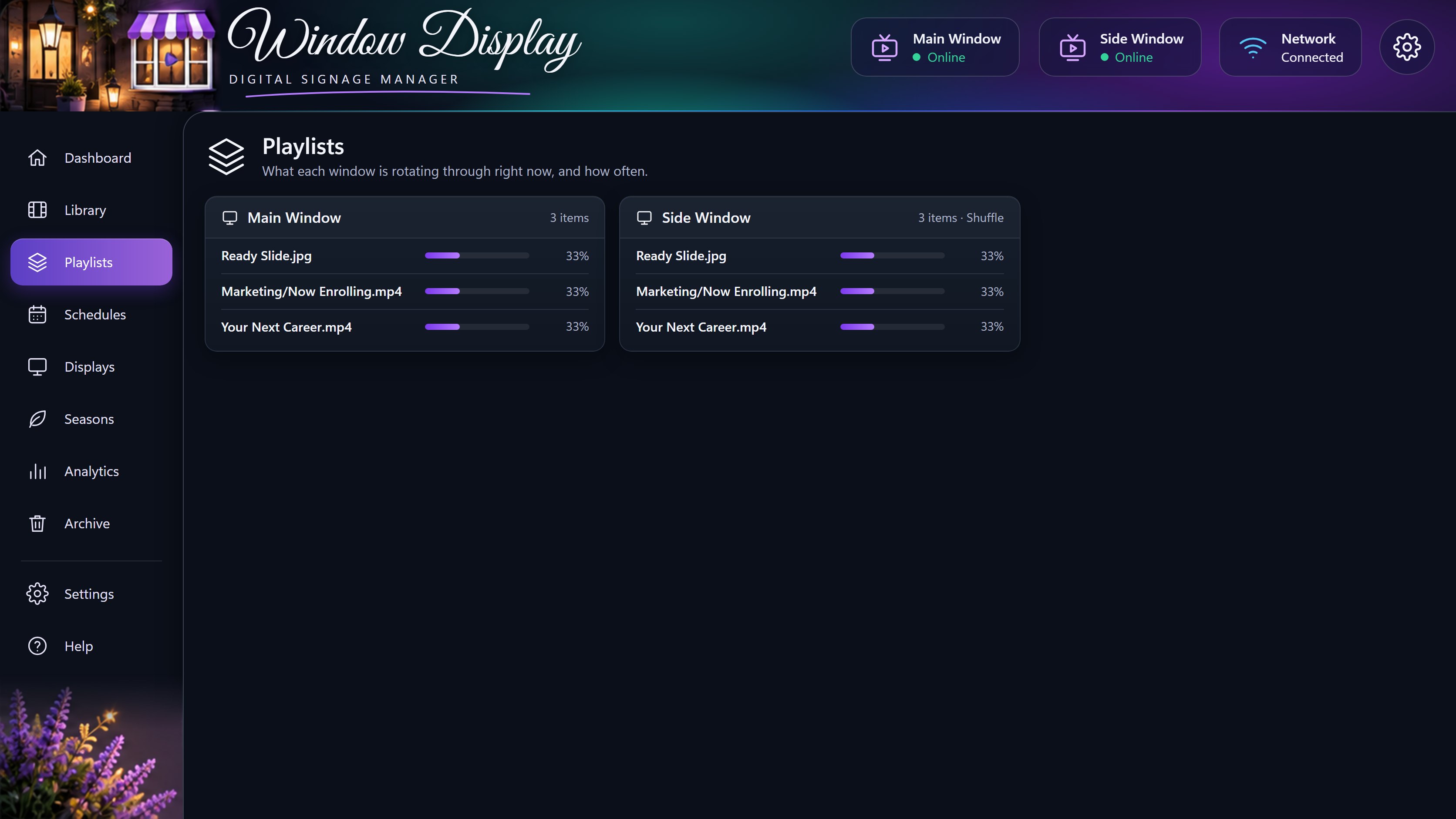
The Playlists page, showing what each window is rotating through
Class Control

Instructors run the screen from a tablet

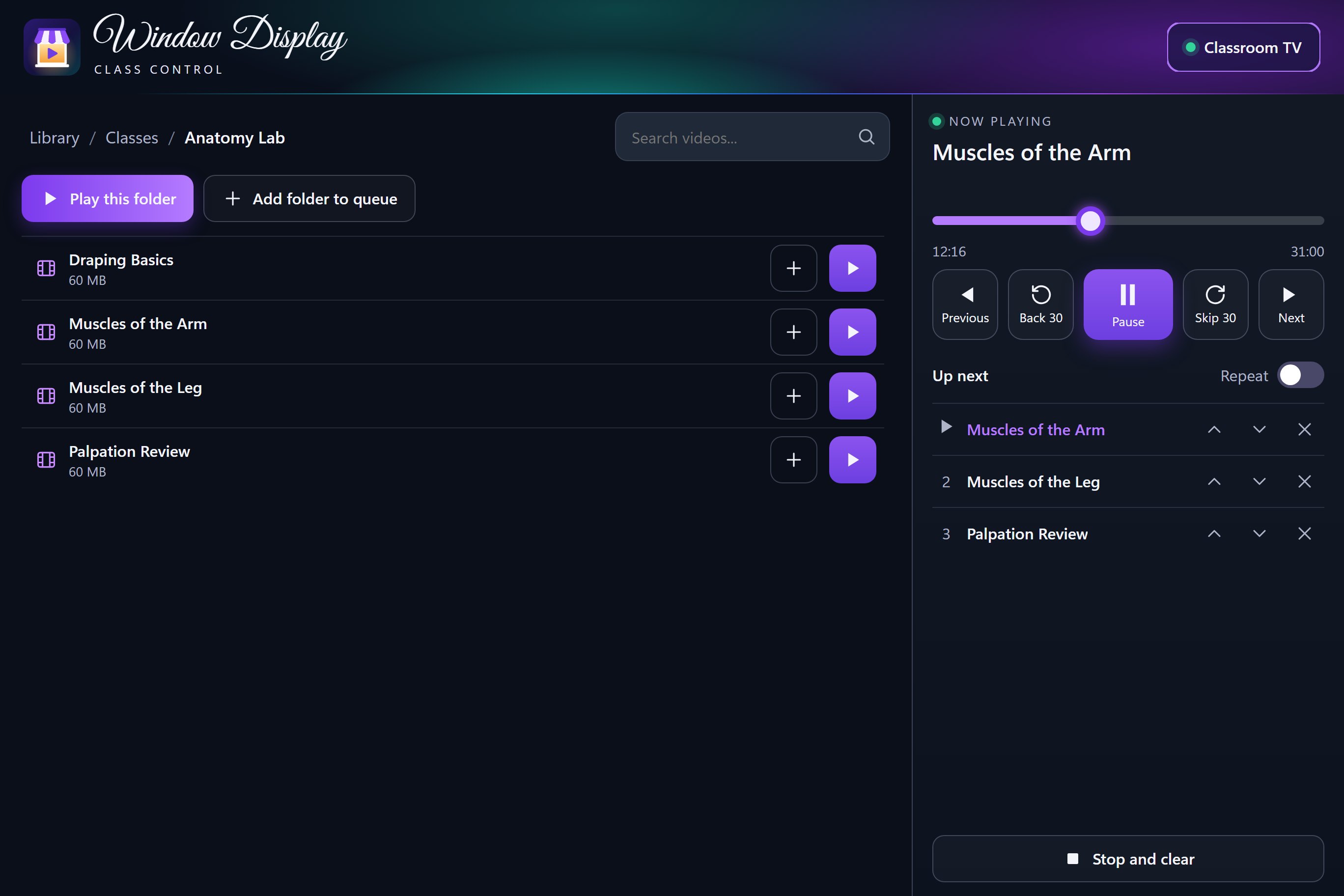
No remote to hunt for and nothing to learn. Open the page, find the video, and tap Play.

  • Play one video or a whole folder, or line up several for the session.
  • Teach with it: pause to explain, jump back 30 seconds, or drag to any point.
  • Never interrupts: the TV waits on a "Ready for class" screen instead of starting marketing mid-lecture.
The Class page, with a list of anatomy videos, playback controls, and a queue
At a glance

See every TV without leaving your desk

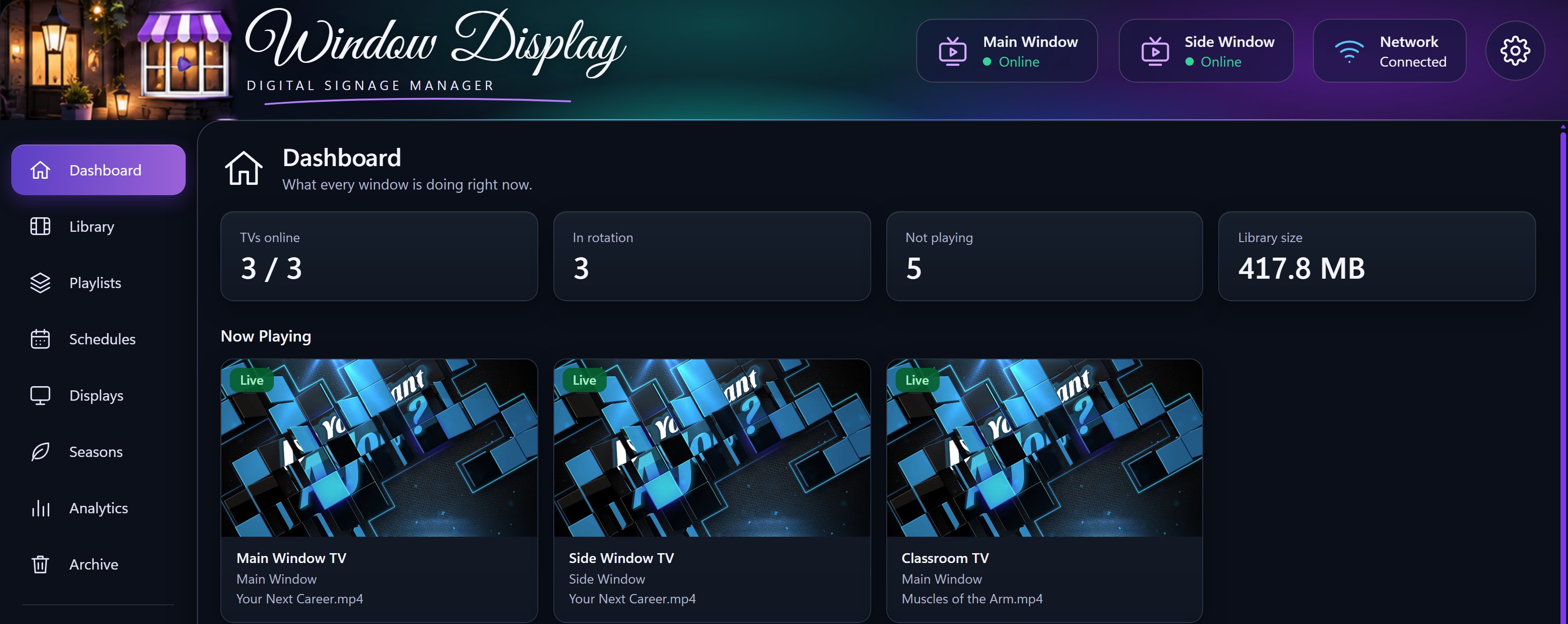
The Dashboard shows a live preview of what each TV is playing, and which TVs have stopped checking in.

  • Now Playing: click any preview to open that item.
  • Analytics: counts how many times each item has played.
  • Schedules and Seasons: everything that's coming up, on one page.
The Dashboard, with live previews of what each TV is playing
Built for real work

Organized like Windows, dependable like an appliance

Real folders

Drag in a whole folder and its sub folders come with it. The editor and Windows Explorer always match.

Drag and multi-select

Ctrl-click, Shift-click, and drag, the way you already work. Move or update hundreds of files at once.

One-switch folders

Turn a whole folder on or off, or pick its windows. Anything added later follows the same choices.

An Archive that forgives

Removed items can be restored with their settings. Permanent delete asks you to type DELETE first.

Keeps the window lit

If the PC goes away, a TV holds its picture or shows a Welcome image, then reconnects by itself.

Recovers on its own

The server starts hidden when the PC signs in, and can restart a storefront TV that stops checking in.

PIN-protected editor

Other devices need your PIN to change anything. It's stored scrambled and locks for a minute after 5 wrong tries.

Private by design

No cloud account and no uploads to anyone's server. Everything runs on your network.

A real desktop app

Installs from the browser with its own window and taskbar icon.